
The Open Door settings allows you to enable Open Door in the Fabric-enabled LogPoints.
A remote LogPoint can add an open door enabled LogPoint as its Distributed LogPoint (DLP). Upon successful configuration, you can search and monitor logs from a remote location. This access is highly useful while centrally monitoring many LogPoints. Under distributed architecture, the central server looks after the remote client LogPoints.
Go to Configure >> Settings >> System >> Open Door Settings.
Select the LogPoint instances where you want to configure the Open Door settings.
Click Next.
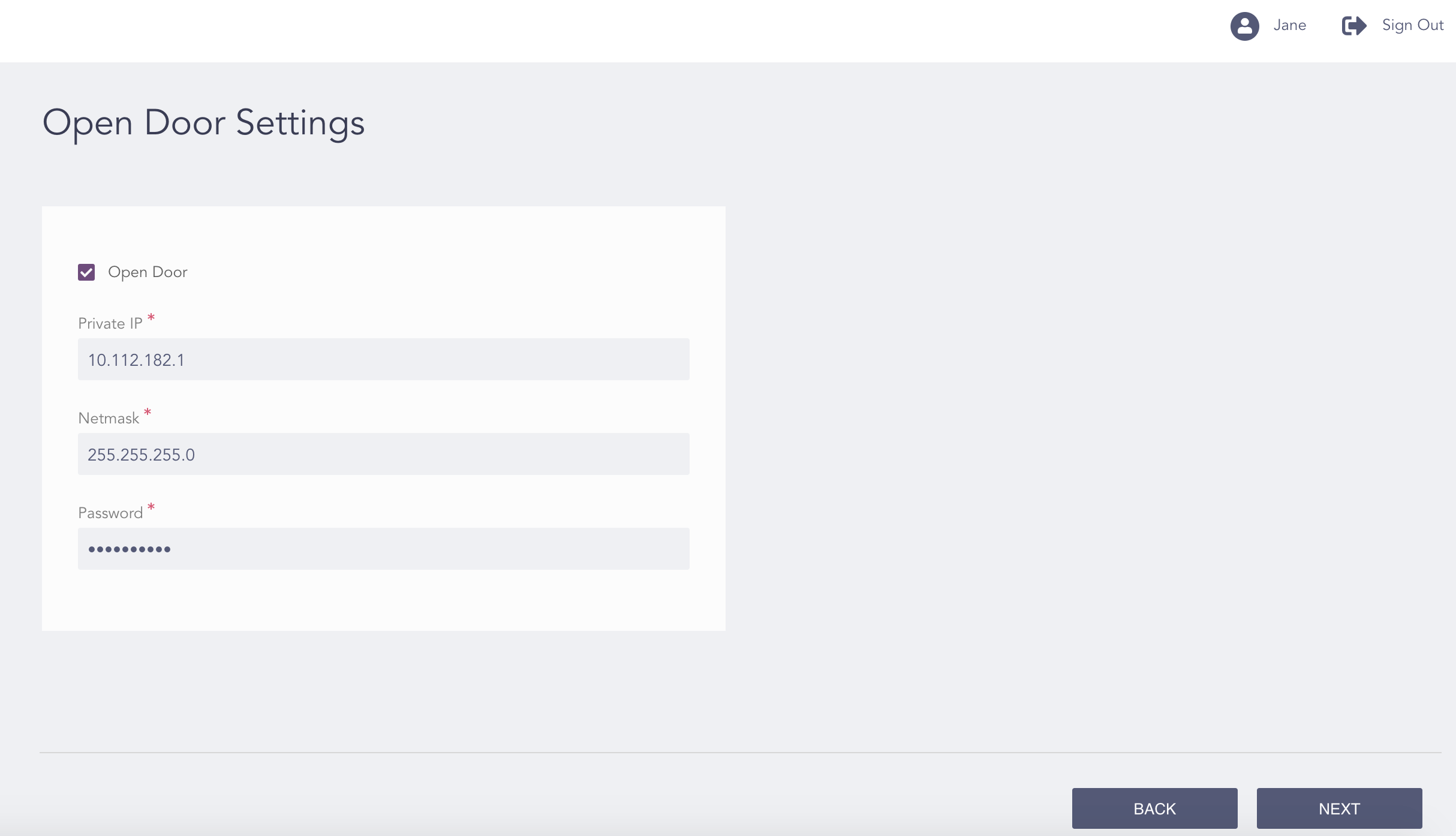
Configuring the Open Door Settings
Select Open Door.
Note down the Private IP and the Netmask. The remote LogPoint instances use these values to connect to the Open Door enabled LogPoint instances.
Note
You can enter a different private IP.
The private IP must end in .1.
Enter a Password. The password is used by the remote LogPoint instances to add the Open Door enabled LogPoint instances to the distributed LogPoint setup.
Click Next.
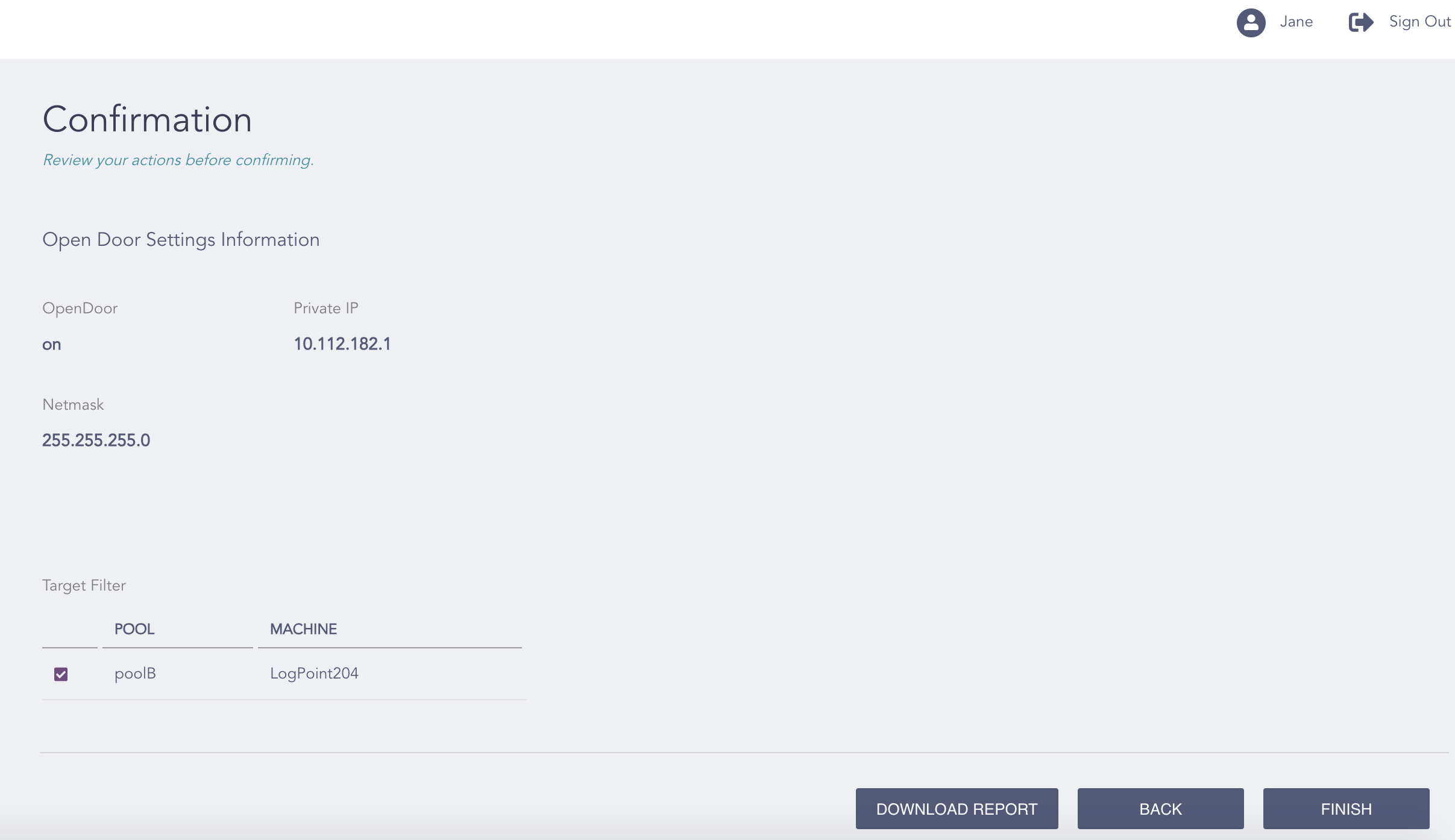
Confirming the Changes
Review your changes. You can go Back to make any changes if necessary.
Note
Click Download Report to save the summary of the task in PDF.
Click Finish.
Click OK.